


一項符合優惠資格的網站寄存服務或人工智能產品可享 15% 折扣,兩項可享 20% 折扣,三項可享 25% 折扣。優惠適用於 12 個月合約期,直至 2026 年十一月 30 日。


一項符合優惠資格的網站寄存服務或人工智能產品可享 15% 折扣,兩項可享 20% 折扣,三項可享 25% 折扣。優惠適用於 12 個月合約期,直至 2026 年十一月 30 日。
由 Bluehost 的共享主機方案帶來最佳價值,低至每月 $3.79,包括首年免費域名。
Bluehost VPS hosting 提供強勁的資源,包括 4 GB 記憶體和 100 GB NVMe 儲存空間。使用代碼 SAVE10BH,即可享 1 年期方案額外 10% 折扣
Buy .com domain at just $1.08/month ($12.99 for 1st year)
Bluehost AI All-Access Pack 包括 ChatGPT、Claude、Gemini 同 Grok 嘅付費版本,全部整合喺一個儀表板入面。用你偏好嘅 AI 模型,只需 $20/mo。唔需要任何 soting 計劃。
Buy .org domain at just $14.99 for 1st year
Buy .net domain at just $18.99 for 1st year
Buy .info domain at just $21.99 for 1st year
Buy .biz domain at just $19.99 for 1st year
按照您的方式部署乾淨、經過最佳化的 Docker 環境。在享受 Bluehost 可靠效能及基礎設施的同時,全面掌控您的主機託管設定。使用優惠碼 SAVE10BH,即可獲享1年期方案額外 10% 折扣。
Claude Code 會讀取檔案、改寫程式碼、執行殼層指令,並反覆執行直至完成工作。它需要真正的虛擬私人伺服器(VPS)環境,而不是會進入睡眠狀態的手提電腦,也不是會逾時的雲端函數。使用優惠碼 SAVE10BH,即可在1年期方案上額外享有 10% 折扣。
自動化一切 — 無限工作流程、完整數據擁有權、不設按執行次數收費。幾分鐘內即可準備就緒。使用優惠碼 SAVE10BH,購買1年期方案可額外享有 10% 折扣。
喺自行管理的虛擬私人伺服器上一鍵部署 Hermes Agent,並享有持久記憶、可重用技能及全天候運作的代理工作流程。使用代碼 SAVE10BH,即可在1年期方案享有額外 10% 折扣。
部署可用於生產環境的基礎設施,享有完整 root 權限、持久記憶及 99.99% 正常運行時間服務水平協議。此服務經過最佳化,可運行自主式人工智能工具,包括 Hermes Agent、OpenClaw 及 Gatorclaw 設定。使用代碼 SAVE10BH,即可享有 1 年期方案額外 10% 折扣。
部署全託管 OpenClaw,配備持久記憶、工作流程及整合功能,無需設定,亦毋須開發維運。使用代碼 SAVE10BH,訂閱1年期方案可額外享有 10% 折扣。
建立及執行人工智能代理,無需面對繁複設定。GatorClaw 專為希望以更簡單、更快捷方式實現自動化的用戶而設。


| Description | Discount | Coupon Code | |
|---|---|---|---|
| 最多可享 68% 折扣網站寄存(使用優惠碼再享額外 10% 折扣 + 免費域名) | 68% 折扣 | SAVE10BH | 複製代碼 |
| WordPress 託管最高 68% 折扣(使用優惠碼可額外享 10% 折扣 + 免費域名) | 68% 折扣 | SAVE10BH | 複製代碼 |
| 最高可享 55% 折扣 VPS 主機服務(使用優惠碼,年繳方案額外 10% 九折優惠) | 55% 優惠 | SAVE10BH | 複製代碼 |
| 在 Bluehost AI Agent Hosting 節省 55%(使用優惠碼,年繳方案額外享 10% 折扣) | 55% 優惠 | SAVE10BH | 複製代碼 |
| 最多享有26% Dedicated Server Hosting 計劃折扣(使用代碼可額外 10% OFF) | 26% 折扣 | SAVE10BH | 複製代碼 |
| Hermes Agent Hosting Plans 最高可享 55% 折扣(使用優惠碼購買年繳方案,可額外享有 10% 折扣) | 55% 優惠 | SAVE10BH | 複製代碼 |
Bluehost 更新促銷碼只適用於新註冊,用戶現有嘅套裝、產品、服務或續費均唔適用。
每次註冊只可以使用一次優惠券,以確保公平及遵守相關條款。
首先,從上方列表中揀選一個 Bluehost 更新促銷碼。點擊“顯示代碼”來顯示代碼,然後點擊“複製”將代碼複製到剪貼板。
而家,前往Bluehost 網站。接住,點擊“揀套餐”圖示,選擇你想購買嘅計劃。

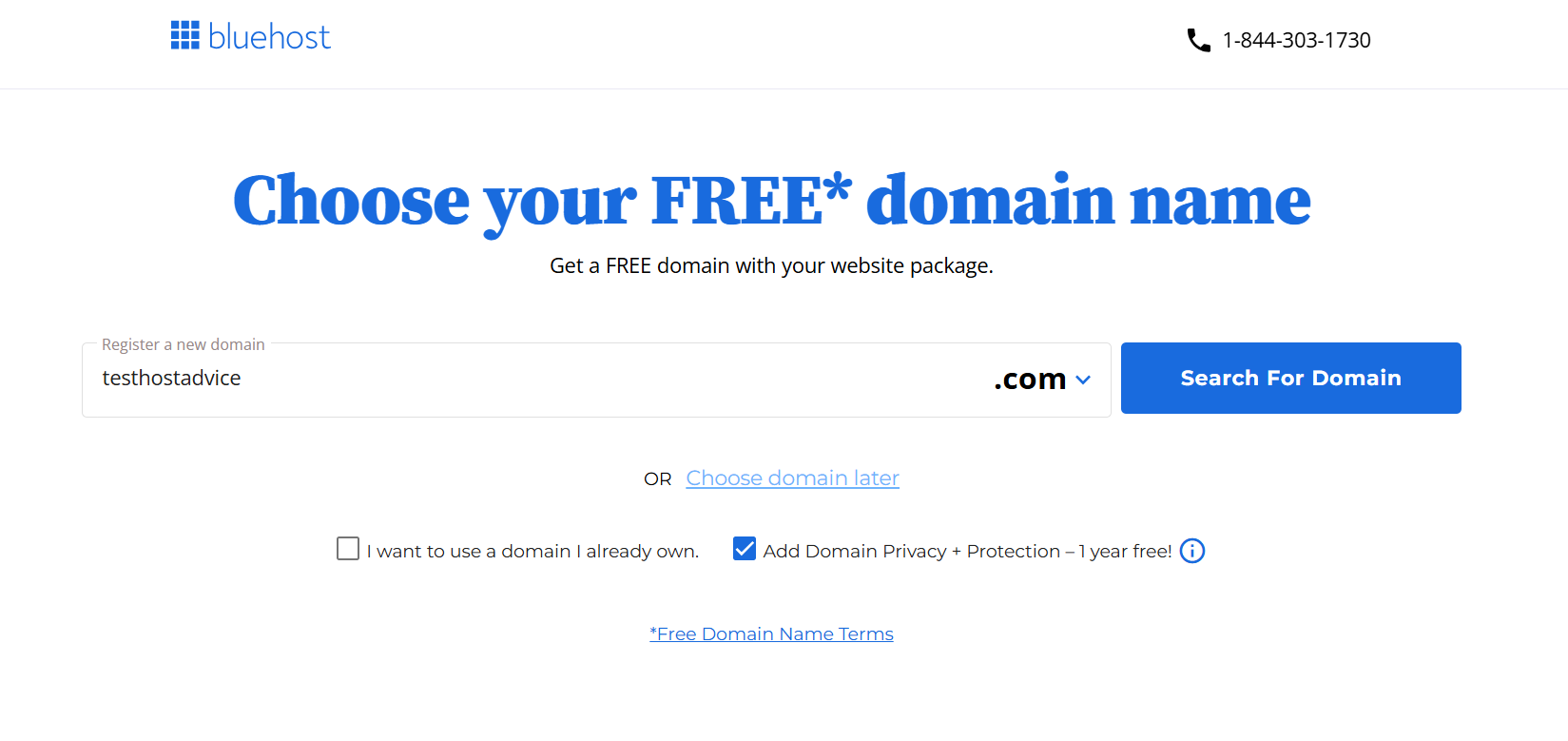
你可以繼續設定你嘅網域,但如果仲未準備好,也可以跳過呢一步,稍後再返嚟處理。
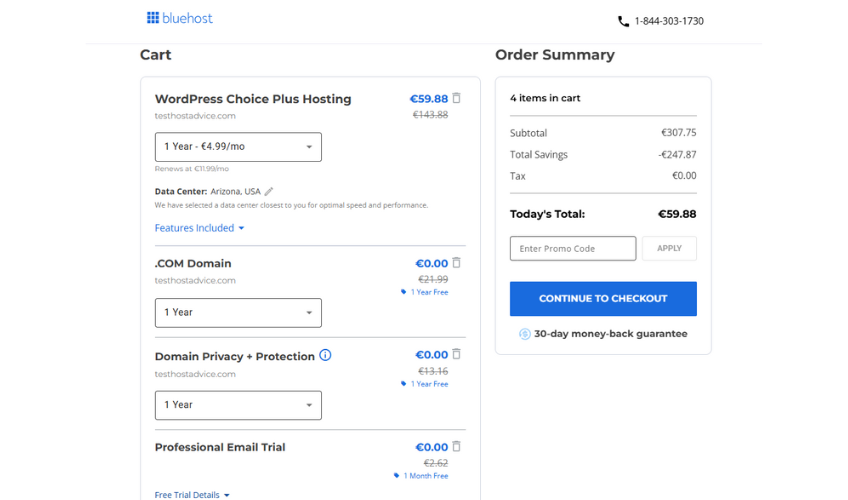
跟住,你會被帶到購物車頁面,檢查你嘅套餐、選擇計費期限同資料中心。你亦可以喺“訂單摘要”中查看總金額。
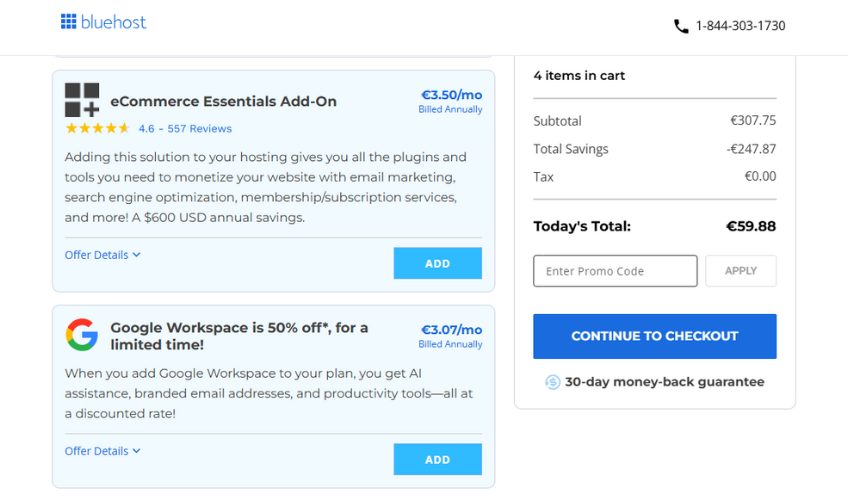
當你向下滾動時,就會睇到可以加入或移除嘅其他附加選項。一切確認無誤後,點擊“繼續至結賬”。
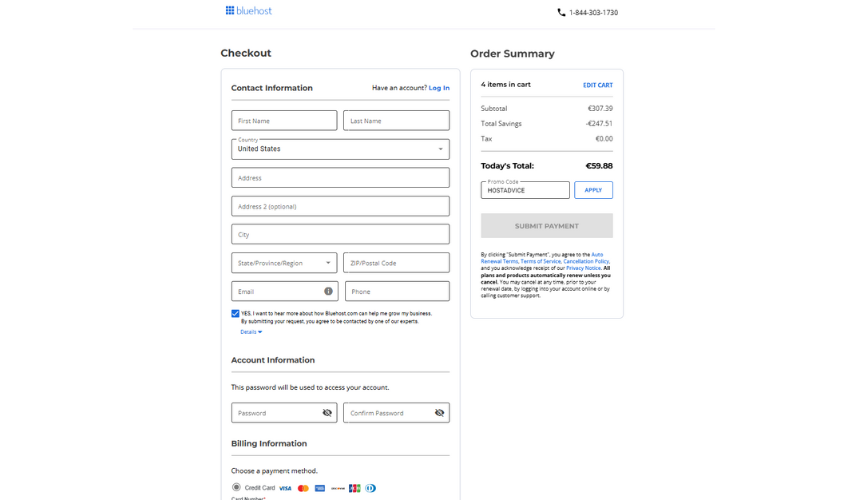
跟住,輸入你嘅聯絡資料、計費詳情同付款方式。
喺“訂單摘要”中,你會見到“加入優惠碼”選項,點擊後喺優惠碼框內輸入代碼,然後按“套用”,再按“提交付款”。
以下係一些提示,幫你解決 Bluehost 更新促銷碼唔起效嘅問題:
以下係你需要留意嘅Bluehost 更新促銷碼相關限制:
Bluehost 提供以下優惠券及優惠活動:
Bluehost係一個價格合理、適合初學者使用嘅主機服務,對WordPress用戶特別友好。佢提供共享、WordPress、VPS、託管WordPress及獨立主機等服務。
你可以喺幾分鐘內創建網站,而佢嘅表現亦非常適合小型項目。數以百萬計嘅用戶信任Bluehost去運行佢哋嘅網站同線上業務。
了解更多關於 Bluehost
Bluehost 客戶提供嘅專家與用戶見解
Bluehost coupon 經常可以喺佢哋嘅官方網站、推廣電郵或者合作夥伴網站攞到。另外,佢哋亦可能喺節日或者活動期間推出特別優惠。記得留意 HostAdvice,攞最新嘅Bluehost coupon。
係,部分Bluehost coupon可以用嚟買域名,而其他優惠可能只限用於主機服務。請留意優惠詳情,睇吓係咪適用於域名。
係嘅,Bluehost 優惠券有局限,例如只適用於特定嘅主機方案、服務或續約期。
係,Bluehost coupon係有到期日㗎。所以使用前一定要檢查coupon嘅有效期,確保佢仲有效。
以下係用Bluehost續約你嘅主機服務,確保你能夠繼續為訪客提供流暢無阻嘅體驗。
